

For creators who have outgrown entry-level mobile editors, finding a powerful yet flexible alternative is essential. While CapCut offers convenience and accessibility, professional workflows often require deeper control over color, audio, effects, and cross-platform collaboration. Today’s content landscape demands tools that can scale from short-form social videos to cinematic productions without compromising performance or quality.
TLDR: If you need more advanced editing capabilities than CapCut provides, consider Adobe Premiere Pro, DaVinci Resolve, or Wondershare Filmora. These platforms offer professional-grade effects, superior color grading, robust audio tools, and multi-platform compatibility. Each caters to different skill levels and budgets while delivering far more control and scalability. Choosing the right one depends on whether you prioritize industry-standard workflows, advanced color tools, or an accessible yet powerful interface.
Below is a closer look at three compelling alternatives that consistently stand out for their advanced editing features, rich visual effects, and multi-platform support.
Contents of Post
1. Adobe Premiere Pro
Best for: Professional editors, agencies, and content creators who require industry-standard tools and seamless integrations.

Adobe Premiere Pro has long been regarded as a cornerstone in professional video production. Used across film, television, marketing, and online content creation, it offers a comprehensive editing environment that significantly expands on what mobile-focused apps can achieve.
Why it stands out:
- Advanced timeline control with multi-layer editing and nested sequences
- Professional-grade color correction using the Lumetri Color panel
- Extensive effects library and support for third-party plugins
- Seamless integration with After Effects, Photoshop, and Audition
- Cross-platform support on both Windows and macOS
Premiere Pro excels in handling complex projects. Whether you’re editing 4K footage, working with multiple camera angles, or incorporating motion graphics, the software remains responsive and precise. Compared to lightweight mobile editors, it gives users detailed control over transitions, keyframes, masking, and compositing.
Another crucial advantage is collaborative editing. With cloud-based project sharing and team workflows, multiple editors can work simultaneously—an essential feature for production teams and marketing departments.
Consideration: Premiere Pro has a steeper learning curve and operates on a subscription model. However, for users seeking a long-term, scalable solution, the investment often pays off in efficiency and output quality.
2. DaVinci Resolve
Best for: Creators who prioritize elite color grading, cinematic visuals, and a powerful free version.
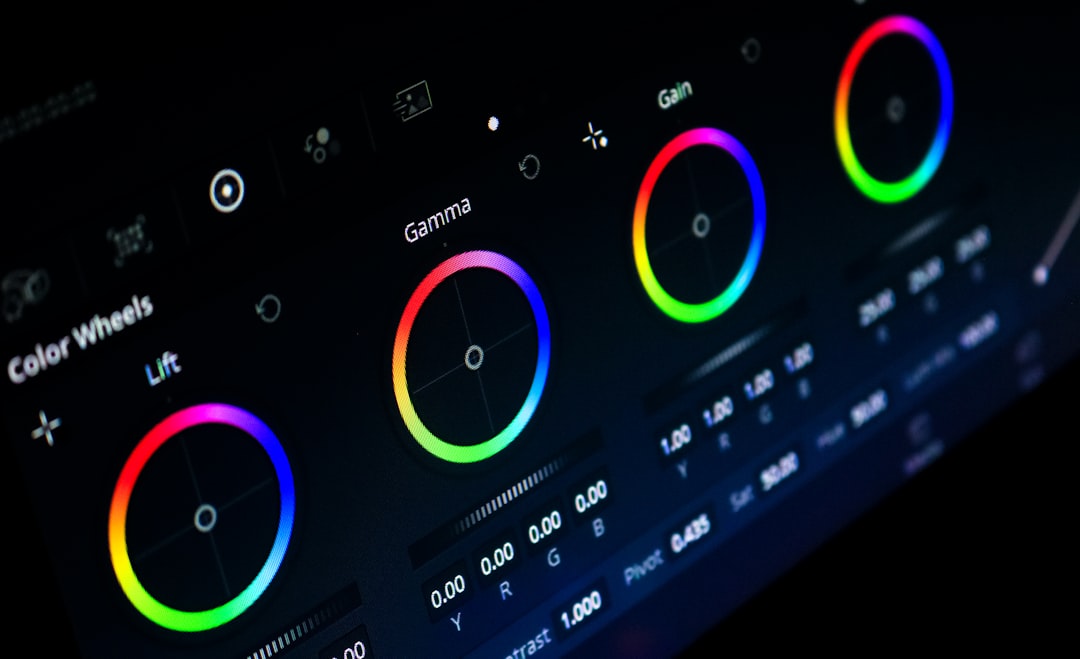
DaVinci Resolve has evolved from a high-end color grading system into a complete post-production suite. It combines video editing, color correction, visual effects, and audio post-production within a single integrated platform. For many creators transitioning from simpler editing environments, Resolve represents a dramatic upgrade in creative capability.
Core strengths:
- Industry-leading color grading tools with node-based workflows
- Advanced visual effects through the integrated Fusion module
- High-end audio editing via the Fairlight workspace
- Multi-platform compatibility across Windows, macOS, and Linux
- Robust free version suitable for professional use
The color grading system is where DaVinci Resolve truly distinguishes itself. Unlike simplified filter-based approaches, it allows precise control over shadows, midtones, highlights, curves, and qualifiers. This level of granularity makes it ideal for cinematic storytelling, branded content, and documentary work.
Its node-based effects structure provides flexibility that layer-based systems sometimes lack. Editors can create complex visual pipelines while maintaining clarity over how each element interacts.
Furthermore, the free version is surprisingly capable. Many professionals use it without upgrading to the Studio edition, which speaks volumes about its functionality and depth.
Consideration: The interface can feel overwhelming for beginners. However, structured learning resources and a strong user community make the transition manageable for committed users.
3. Wondershare Filmora
Best for: Intermediate creators and growing brands seeking a balance between advanced tools and ease of use.
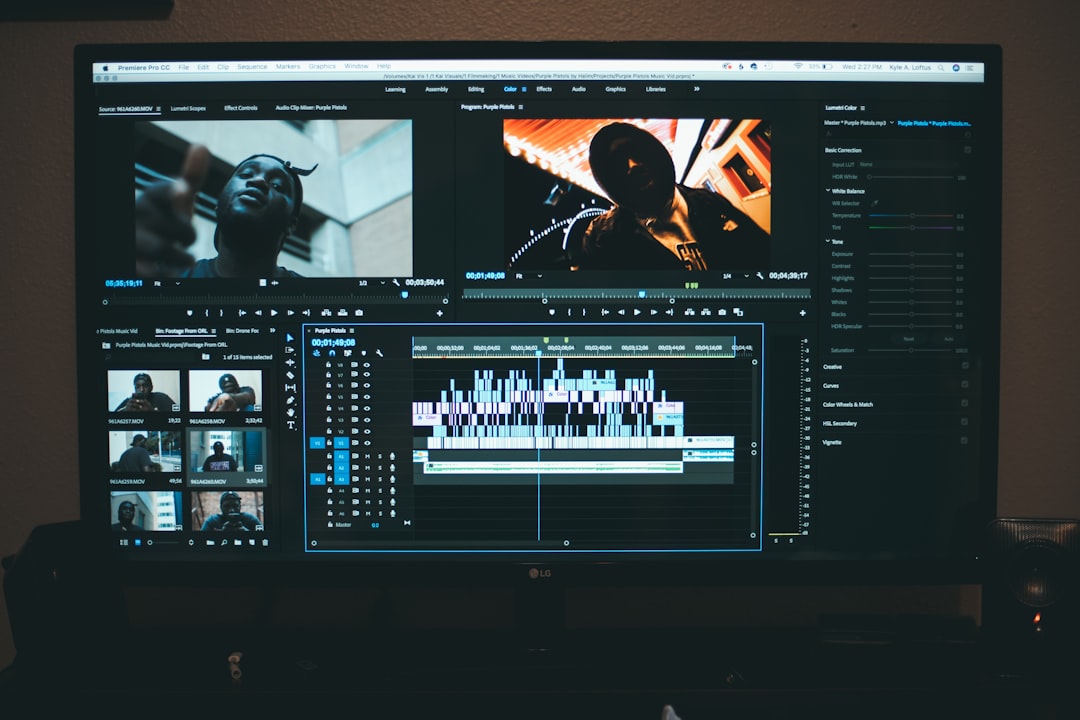
Filmora occupies a strategic middle ground between beginner-friendly apps and high-end professional suites. It delivers significantly more control than mobile editors while maintaining an intuitive interface that reduces the intimidation factor often associated with professional software.
Key advantages:
- Drag-and-drop editing with layered timeline support
- Extensive built-in effects library, including motion graphics and transitions
- AI-powered tools such as background removal and motion tracking
- Support for Windows, macOS, and mobile devices
- Affordable pricing structure
One of Filmora’s most practical strengths is its emphasis on efficiency. Creators who produce content for social media, marketing campaigns, or YouTube channels can access templates, animated titles, and ready-made transitions that significantly speed up turnaround times.
Unlike strictly mobile-oriented apps, Filmora supports more complex compositions with multiple video tracks, audio enhancements, and customizable keyframes. It also offers AI features that simplify time-consuming processes, making it attractive for small teams and solo entrepreneurs.
Filmora’s cross-device ecosystem allows users to begin a project on a desktop and continue editing on mobile, offering flexibility that many professionals increasingly value.
Consideration: While powerful, it does not match the raw depth of Premiere Pro or DaVinci Resolve in high-end cinematic production. Nevertheless, for many creators, it strikes an ideal balance between power and simplicity.
How to Choose the Right Alternative
Selecting the best alternative depends on your workflow, technical skill, and future goals. Consider the following criteria before making a decision:
- Project complexity: Are you producing short-form social videos or long-form cinematic content?
- Budget: Do you prefer subscription models or one-time purchases?
- Learning curve: Are you ready to invest time mastering a professional interface?
- Collaboration needs: Will multiple people edit and review projects?
- Hardware capability: Does your system meet performance requirements?
If your goal is to work within established industry pipelines or collaborate with professional studios, Adobe Premiere Pro is often the safest choice. If your focus is achieving cinematic visual quality, DaVinci Resolve provides unmatched color tools. For creators scaling up from mobile editing while maintaining speed and accessibility, Filmora offers an efficient compromise.
Final Thoughts
CapCut remains a practical solution for quick edits and social media content. However, creators seeking advanced effects, precise control, and scalable workflows inevitably encounter its limitations. Transitioning to a more robust platform is not merely about accessing more features—it is about unlocking creative autonomy and production reliability.
Adobe Premiere Pro, DaVinci Resolve, and Wondershare Filmora each provide substantial upgrades in editing power, effects capability, and cross-platform functionality. The right choice depends on how far you intend to push your craft. Investing in a professional-grade editor positions you to meet higher production standards, collaborate effectively, and future-proof your creative workflow.
For serious content creators, agencies, and brands aiming for long-term growth, selecting one of these advanced alternatives is not simply an upgrade—it is a strategic decision.