

In a digital era where web hosting is an essential service for businesses, entrepreneurs, freelancers, and bloggers, managing recurring hosting payments is critical. Many users have fallen victim to unexpected overcharges and auto-renewals that they didn’t plan for. These fees often result from auto-renewal features and saved payment methods that remain active even after users no longer need the hosting service.
Contents of Post
TL;DR:
Users are increasingly avoiding unexpected web hosting overcharges by disabling auto-renewal features and removing stored payment methods from their hosting accounts. This proactive approach helps them stay in control of their subscriptions and ensures they won’t be billed for services they no longer need. By reviewing account settings routinely and choosing manual payment methods, people prevent surprise transactions and make more mindful financial decisions.
Understanding the Problem of Hosting Overcharges
Web hosting providers typically offer services on a subscription basis, with automatic renewals set as the default for most plans. These automatic renewals are designed for convenience but often lead to problems when users forget to cancel a service or miss the renewal date. Unwanted charges can range from a few dollars to hundreds, especially with long-term plans like annual or multi-year subscriptions.
Most complaints stem from:
- Forgetting about the renewal altogether
- Switching to a new provider but leaving the old one active
- Not being aware of refund limitations after renewal
- Storing payment details that automatically trigger renewals

Why Auto-Renewals Are Default
Auto-renewals are convenient for hosting providers because they reduce customer churn and ensure uninterrupted service. For users, they promise ongoing access to their website and services without the hassle of manual billing. However, what begins as a convenience can quickly become a cost trap if not monitored properly.
Most users don’t realize that agreeing to terms and conditions usually enables auto-renew by default. Unless the user actively changes renewal settings in their account dashboard, the system will continue charging the same payment method stored on file. This becomes particularly risky when prices change without notice or when hidden fees appear during the renewal phase.
The Rise in Proactive Account Management
Due to the increasing number of complaints and unexpected charges, more users are taking responsibility by reviewing their account settings and monitoring their subscriptions carefully. The most common practices include:
- Disabling Auto-Renewal: Hosting companies often allow users to opt out of auto-renewal through their billing or subscription section. Doing this ensures that the service will expire unless renewed manually.
- Deleting Stored Payment Methods: By removing credit cards or PayPal details, users eliminate the possibility of being charged against their will. Some platforms require at least one payment method on file, so users opt for dummy cards with no balance.
- Setting Calendar Reminders: People set reminders days or weeks in advance of the expiration date so they can make informed decisions when it’s time to renew – on their own terms.
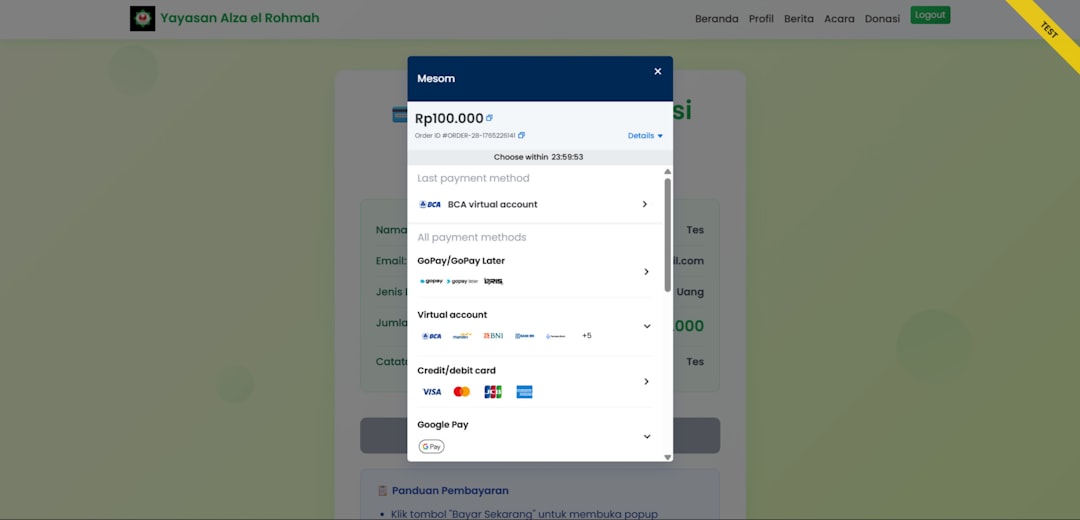
Step-by-Step: How to Turn Off Auto-Renewal and Remove Payment Info
If you’re using a popular hosting provider like GoDaddy, Bluehost, HostGator, or Namecheap, you’ll find similar menus for subscription and billing management.
- Log in to your hosting provider’s account.
- Navigate to Billing Settings or Subscription Management.
- Locate the product or service you want to manage.
- Click “Disable Auto-Renew” or select a manual renewal option.
- Go to Stored Payment Methods or Billing Information section.
- Remove credit card or payment account details. If removal isn’t possible, replace it with a low-risk card or contact support.
Always double-check for confirmation messages or emails that verify the changes have been made.
Common Mistakes to Avoid
While turning off auto-renewal and removing payment details is effective, users still fall into several traps:
- Assuming the service will notify you before charging: Not all companies send reminders before billing; by the time you find out, a charge may already be finalized.
- Not reading the fine print on renewal policies: Some providers require that auto-renewal be turned off a specific number of days before the billing date.
- Forgetting domain auto-renewals: Domains are often handled separately from hosting, and users may forget to disable them independently.
The Long-Term Benefits of Taking Control
Turning off auto-renewal and removing stored payment methods encourages better financial hygiene. By opting for manual renewals, users can evaluate if they still need the service before paying again. This habit also motivates customers to look for better deals or promotions rather than sticking with costly plans out of inertia.
Additionally, managing subscriptions manually prevents overdrafts or unexpected charges during times of financial constraint. Whether you’re a solo developer or a growing company, this approach enables smarter budgeting.
Hosting Companies’ Perspective
Hosting providers prefer auto-renewals because they stabilize revenue streams and reduce customer service calls related to service expiration. However, many also recognize the importance of customer trust. As a result, the best companies offer:
- Clear opt-out options in user dashboards
- Advance renewal notifications via email or SMS
- Partial refunds for services canceled early
Still, not all providers are transparent, and many users are forced to go through extended customer service processes just to cancel a subscription.
Conclusion
Learning how to manage your hosting account and disable auto-renewals can save hundreds of dollars and much frustration. The key is to act before you’re billed by reviewing your service plans and payment methods regularly. By removing stored payment information and choosing manual renewals, you take back control and ensure that you only pay for what you actively choose to use.
Frequently Asked Questions (FAQs)
- Is turning off auto-renewal enough to stop billing?
- No, you should also remove your stored payment method if the platform allows. Some providers may still attempt to process payment even after auto-renewal is off if billing is in process.
- Do all hosting companies offer auto-renewal settings?
- Most reputable ones do. However, smaller or less transparent providers may require users to contact support to cancel or disable renewals.
- What if I can’t delete my payment method?
- You can try replacing it with a virtual card, or contact customer support to manually remove it. Some services require at least one payment method on file.
- Will turning off auto-renewal delete my website?
- No. Turning off auto-renewal simply stops the automatic payment. Your site stays live until the current billing cycle ends, giving you time to back up or migrate it if needed.
- Is manual renewal better than auto-renewal?
- Manual renewal puts you in control of when and how you pay. It’s ideal for people who want to assess their needs before being charged again.