

Mobile video editing has become a competitive space, and while CapCut remains one of the most popular apps on Android and iOS, many users are actively searching for alternatives. Whether due to privacy concerns, watermark limitations, advanced editing needs, or simply a desire for a different workflow, Reddit discussions are filled with recommendations and detailed user experiences. Below, we explore the best CapCut alternatives that Redditors consistently praise for reliability, professional features, and real-world usability.
TL;DR: If you want a CapCut alternative that feels professional yet intuitive, VN Editor and InShot are top Reddit picks for balance and ease of use. For more powerful, near-desktop editing, LumaFusion (iOS) and KineMaster offer deeper control. Adobe Premiere Rush appeals to users already inside the Adobe ecosystem. The right choice depends on whether you prioritize speed, creative effects, or professional-grade control.
Contents of Post
1. InShot – A Reliable All-Rounder
InShot regularly appears in Reddit threads as a dependable, beginner-friendly CapCut alternative. It’s particularly popular among social media creators who want quick edits without sacrificing polish.
- Platform: Android & iOS
- Best For: Instagram Reels, TikTok, YouTube Shorts
- Pricing: Free with watermark; paid version removes watermark and unlocks features
Users appreciate InShot for its intuitive interface, straightforward timeline editing, and rich selection of filters and transitions. While it may not offer multi-track editing depth comparable to desktop software, it strikes a balance between simplicity and flexibility.
Redditors often mention that InShot feels “stable” and “lightweight,” especially on mid-range Android devices. If CapCut feels too cluttered or update-heavy, InShot is frequently recommended as a clean alternative.
2. VN Video Editor – Free and Surprisingly Powerful
VN Video Editor has built a strong reputation on Reddit for being both free and robust. Unlike many competitors, VN offers multi-layer timeline editing without aggressively placing watermarks on exported videos.
- Platform: Android & iOS
- Best For: Creators who want professional features for free
- Pricing: Free
The app supports keyframe animation, curve speed adjustments, advanced color grading, and multi-track audio editing. Several Reddit users have compared VN to a “lite desktop editor in your pocket.”
Its clean design is another strong point. While CapCut can sometimes feel feature-heavy and template-focused, VN prioritizes hands-on control. For creators who prefer building edits from scratch rather than relying on presets, VN stands out as a serious competitor.
3. LumaFusion – Professional Editing for iOS Users
When discussions turn toward professional mobile editing, LumaFusion is almost always mentioned. Available exclusively on iOS and iPadOS, it delivers multi-track editing capabilities that approach desktop-level software.
- Platform: iOS & iPadOS
- Best For: Professionals and serious content creators
- Pricing: One-time purchase
Reddit filmmakers and journalists often praise LumaFusion for:
- Up to six video/audio tracks
- Advanced color correction tools
- External drive support
- High-resolution export options
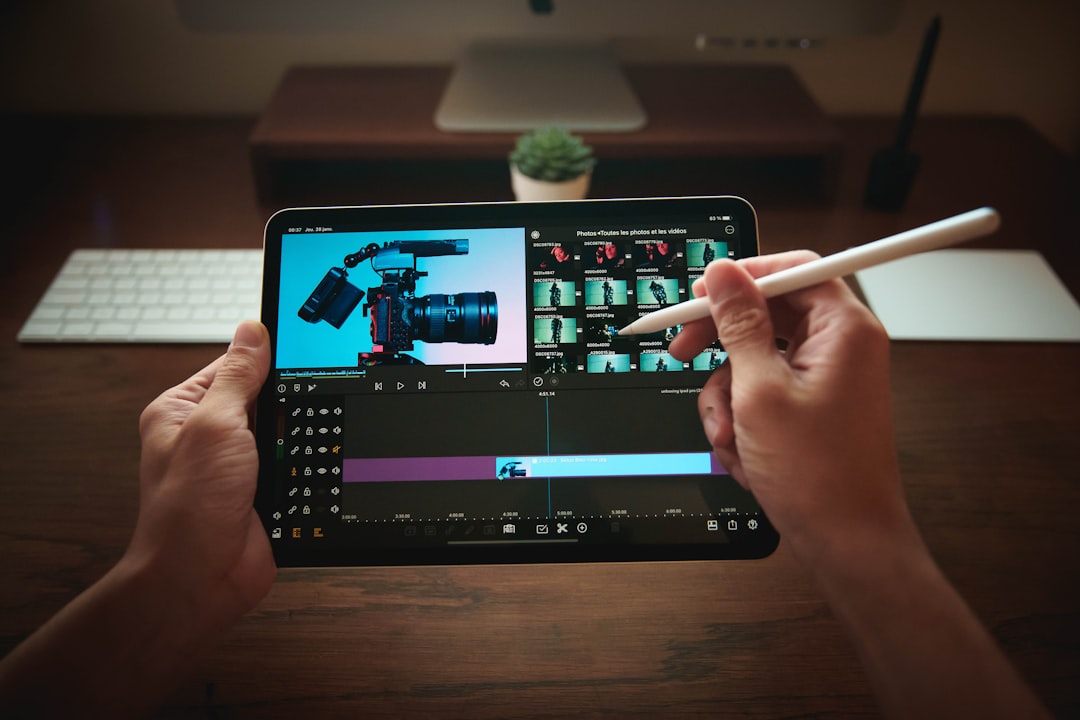
While it comes at a higher upfront cost compared to free options like CapCut, many users argue that the investment pays off quickly. For iPad users especially, LumaFusion combined with Apple Pencil and keyboard transforms a tablet into a portable editing workstation.
4. KineMaster – Advanced Features Across Platforms
KineMaster has long been considered a powerhouse in the mobile editing world. Although it predates CapCut’s surge in popularity, it continues to receive strong recommendations on Reddit for users seeking granular control.
- Platform: Android & iOS
- Best For: Multi-layer editing and precise adjustments
- Pricing: Subscription model
Its strengths include:
- Chroma key (green screen) capabilities
- Layer-based editing system
- Advanced blending modes
- Fine-grained audio controls
Some Reddit users caution that KineMaster’s subscription pricing can feel expensive over time. However, for those who need deeper flexibility than CapCut offers, especially for YouTube projects, KineMaster remains a consistent recommendation.
5. Adobe Premiere Rush – Best for Adobe Users
Adobe Premiere Rush is frequently suggested for individuals already familiar with the Adobe Creative Cloud ecosystem. While it may not be as template-driven as CapCut, it excels in cross-device synchronization and streamlined editing.
- Platform: Android & iOS
- Best For: Users working across desktop and mobile
- Pricing: Subscription-based
Reddit discussions often highlight its smooth workflow integration. You can begin a project on your smartphone and finalize it in Adobe Premiere Pro on a desktop. For teams or serious creators, this continuity is invaluable.
However, users also note that Rush may feel limited compared to Premiere Pro itself. It is best viewed as a bridge between mobile and professional desktop editing rather than a complete replacement.
Key Differences Redditors Emphasize
Across discussions, several evaluation criteria repeatedly surface. When considering a CapCut alternative, Redditors often compare:
- Watermarks: Does the free version add them?
- Export Quality: Are 4K and high bitrates supported?
- Performance: How well does the app run on older devices?
- Privacy Considerations: Is data sharing transparent?
- Manual vs Template Editing: Does it prioritize automation or control?
These factors significantly influence long-term satisfaction. An app that feels impressive at first can become frustrating if export limits or subscription barriers restrict creative control.
6. PowerDirector – Feature-Rich and Accessible
PowerDirector also receives positive mentions, particularly from Android users. It combines AI-assisted tools with traditional timeline editing.
- Platform: Android & iOS
- Best For: Users who want both automation and manual control
- Pricing: Free with limitations; premium subscription available
Reddit feedback often mentions its AI body effects, motion tracking, and automatic captioning tools. For creators producing high volumes of short-form content, these automation features can significantly reduce editing time.
Which CapCut Alternative Is Right for You?
Your ideal choice depends on your editing goals:
- If you want simple and effective, choose InShot.
- If you want fully free professional tools, try VN Editor.
- If you’re on iOS and want near-desktop capability, invest in LumaFusion.
- If you need layer precision and green screen tools, consider KineMaster.
- If you edit across devices and platforms, Adobe Premiere Rush is a logical pick.
It’s worth testing at least two options before committing to subscriptions. Many Redditors emphasize that workflow comfort matters more than raw feature lists. An intuitive layout can dramatically improve productivity.
Final Thoughts
CapCut’s popularity is well-earned, but it is far from the only capable mobile video editor. As mobile hardware grows more powerful, editing apps increasingly rival entry-level desktop software. Reddit communities provide valuable, experience-driven insights that go beyond marketing promises.
The best CapCut alternative ultimately comes down to your priorities—speed, control, price, or ecosystem integration. By choosing carefully, you can find a tool that not only replaces CapCut but enhances your creative output long term.
In a rapidly evolving content landscape, having the right editing platform on your smartphone or tablet is no longer optional—it is essential.