
Signal blockage is like a tiny traffic jam in the air. Your phone, Wi Fi router, GPS, radio, or smart gadget is trying to send or receive a message. But something gets in the way. The result can be slow internet, dropped calls, frozen videos, or a spinning wheel of doom.
TLDR: Signal blockage happens when walls, metal, distance, weather, or other devices block or weaken a signal. The fix is often simple. Move the device, remove barriers, upgrade equipment, or use boosters. A few small changes can make your signal much happier.
Contents of Post
What Is Signal Blockage?
A signal is invisible. But it still has to travel. It moves through the air like a tiny radio wave. When the path is clear, life is good. Your video loads. Your call sounds crisp. Your smart speaker obeys like a polite robot.
When the path is blocked, the signal gets weak. It may bounce around. It may fade away. It may never reach your device at all. That is signal blockage.
Think of it like shouting to a friend across a room. If the room is empty, they hear you. If a wall, a fridge, and a marching band stand between you, things get messy.
Common Cause 1: Thick Walls and Floors
Walls are sneaky signal bullies. Some walls are thin and friendly. Others are signal monsters.
Concrete, brick, stone, and tile can weaken signals a lot. So can floors between levels. This is why your Wi Fi may be great in the living room but awful in the basement.
Quick fixes:
- Move your router to a more open place.
- Keep it away from corners.
- Place it higher, like on a shelf.
- Use a mesh Wi Fi system for large homes.
- Try a Wi Fi extender if one room is a dead zone.
A router on the floor behind a couch is not living its best life. Give it space. Give it height. Let it shine.
Common Cause 2: Metal Objects
Metal is one of the biggest signal blockers. It can reflect radio waves like a mirror. But not in a useful way. More like a funhouse mirror that makes your internet look sad.
Common metal troublemakers include:
- Fridges
- Filing cabinets
- Metal doors
- Steel beams
- Large mirrors with metal backing
- Metal roofs
Solution: Do not hide routers, antennas, or smart hubs near big metal objects. If your router is next to a fridge, move it. The fridge already has one job. It does not need to eat your Wi Fi too.
Common Cause 3: Distance
Signals get weaker with distance. This is normal. Your router is not a superhero. Your phone tower is not magic. Even strong signals lose power as they travel.
If your device is far from the source, the signal may drop. This happens in big houses, long offices, farms, warehouses, and outdoor areas.
Try these fixes:
- Move closer to the router or tower side of the building.
- Use a stronger router.
- Add extra access points.
- Use a mesh network.
- For mobile signal, try a certified signal booster.
Distance is simple. The farther you go, the weaker things get. Like motivation on a Monday morning.
Common Cause 4: Other Devices
Your home is full of gadgets. Many of them talk at the same time. Routers, baby monitors, Bluetooth speakers, microwaves, game controllers, cameras, and smart bulbs all want attention.
This can cause interference. That means signals crash into each other. It is like everyone yelling in one kitchen.
The microwave is a classic villain. It can mess with 2.4 GHz Wi Fi while heating soup. Your soup gets hot. Your video call gets weird.
Simple solutions:
- Move your router away from electronics.
- Use the 5 GHz Wi Fi band when possible.
- Restart the router to pick a better channel.
- Change Wi Fi channels in router settings.
- Keep Bluetooth devices away from the router.
If your router has both 2.4 GHz and 5 GHz, use them wisely. The 2.4 GHz band reaches farther. But it is busier. The 5 GHz band is faster. But it does not travel through walls as well.
Common Cause 5: Bad Router Placement
Router placement matters. A lot. Many people place routers in the worst possible spots. Closets. Cabinets. Behind TVs. Under desks. Next to tangled cables. Poor little router.
A router should be in a central area. It should be out in the open. It should not be trapped like a forgotten holiday decoration.
Best placement tips:
- Put it near the center of your home.
- Keep it off the floor.
- Keep antennas upright if it has them.
- Avoid cabinets and drawers.
- Do not place it behind the TV.
Small move. Big upgrade. Sometimes moving a router six feet can feel like buying brand new internet.
Common Cause 6: Weather
Weather can block or weaken some signals. This is common with satellite internet, satellite TV, GPS, and some radio systems. Heavy rain, snow, fog, and storms can all cause problems.
This is called rain fade in satellite systems. It sounds dramatic because it is. Your signal has to travel from space. A giant storm cloud can say, “Not today.”
What you can do:
- Make sure satellite dishes are aimed correctly.
- Keep dishes clear of snow and leaves.
- Check cables for water damage.
- Use weatherproof outdoor equipment.
- Wait out severe storms if the issue is temporary.
You cannot boss the weather around. But you can make sure your gear is ready for it.
Common Cause 7: Trees and Outdoor Obstacles
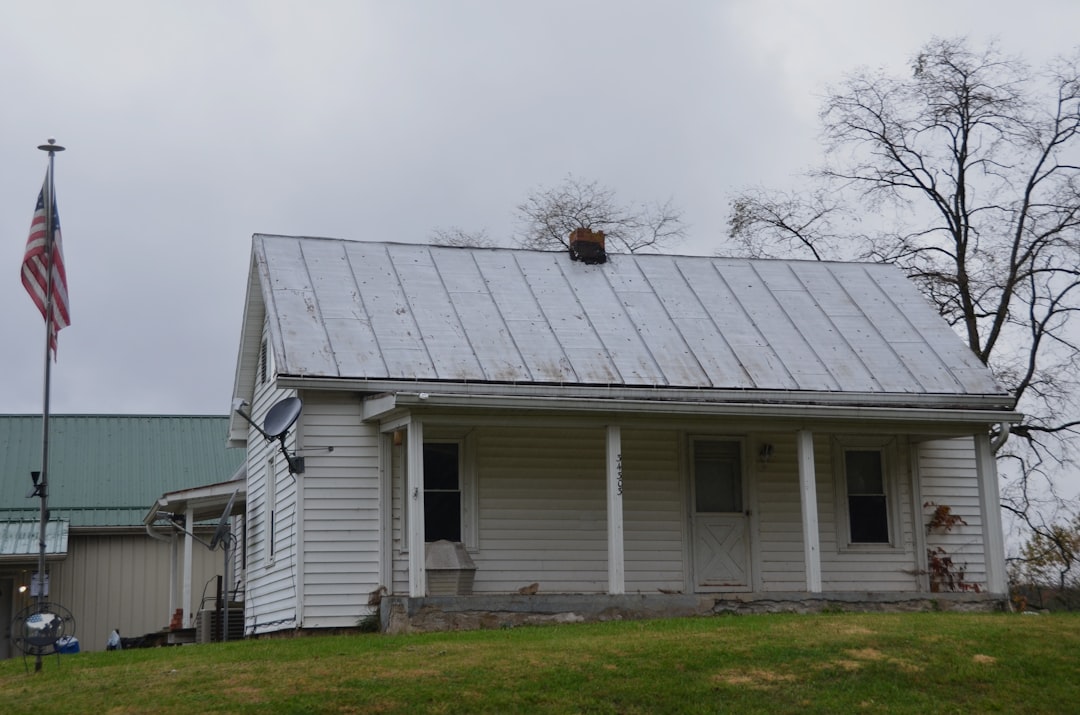
Trees look peaceful. But to signals, they can be leafy trouble. Wet leaves are especially bad. They can absorb and scatter signals.
This matters for satellite dishes, fixed wireless internet, outdoor antennas, and some security cameras. A clear line of sight is often needed.
Solutions include:
- Trim branches near antennas or dishes.
- Move outdoor equipment higher.
- Choose a clearer mounting location.
- Check signal strength after new tree growth.
That cute little tree can grow into a signal-blocking giant. Nature is beautiful. It is also terrible at streaming.
Common Cause 8: Old or Damaged Equipment
Sometimes the blocker is not a wall or tree. Sometimes the gear is just tired.
Old routers may not handle modern speeds. Damaged cables can weaken signals. Loose connectors can cause dropouts. Old phone cases can block antennas. Yes, even your case can be a tiny villain.
Check these items:
- Router age
- Modem lights
- Ethernet cables
- Coax cables
- Antenna connections
- Phone cases and covers
If your router is more than five years old, it may be time for an upgrade. Newer routers often have better range, better speed, and better handling of many devices.
How to Find the Problem
You do not need a lab coat. Start simple.
- Test in different spots. Walk around with your phone or laptop.
- Restart your equipment. Yes, the old trick still works.
- Move the router. Try a higher and more open place.
- Remove nearby blockers. Look for metal, thick walls, and electronics.
- Check during different times. Is it worse at night? Many people may be online.
- Use a signal app. Wi Fi analyzer apps can show weak areas.
Be a signal detective. Look for clues. The suspect may be the microwave. Or the basement wall. Or the router hiding in a cabinet like it owes money.
Easy Solutions That Often Work
Here are the greatest hits. Try these first:
- Move the router to a central, open spot.
- Place the router higher.
- Restart the router and modem.
- Update router firmware.
- Switch between 2.4 GHz and 5 GHz Wi Fi.
- Use mesh Wi Fi for larger spaces.
- Replace old cables.
- Keep antennas and dishes clear.
- Upgrade old equipment.
For mobile phone problems, try standing near a window. Go upstairs if possible. Remove thick phone cases. If the problem happens everywhere, contact your carrier. If it only happens at home, a signal booster may help.
When to Call a Pro
Call a professional if you have tried the basics and still have trouble. This is smart for large buildings, outdoor antennas, satellite systems, businesses, and complex networks.
A pro can measure signal strength. They can find hidden interference. They can install access points, boosters, or antennas in the right spots. This can save time and stop the guessing game.
Final Thoughts
Signal blockage is annoying. But it is usually fixable. Most problems come from walls, metal, distance, weather, trees, interference, or old gear.
The best answer is often simple. Move things. Clear the path. Upgrade weak equipment. Add help where needed.
Your signal wants to reach you. Give it a clear road. Then sit back, stream your show, finish your call, and enjoy a world with fewer spinning wheels.